April 2026 Cohort · Ages 10–16 · Live Online

In 21 days, your child builds a website, a web app & an AI portfolio

A live, instructor-led course for ages 10–16. One hour a day for three weeks — your child goes from watching to building real things, then presents everything on Demo Day.

Next batch starts April 14 · capped at 30 students
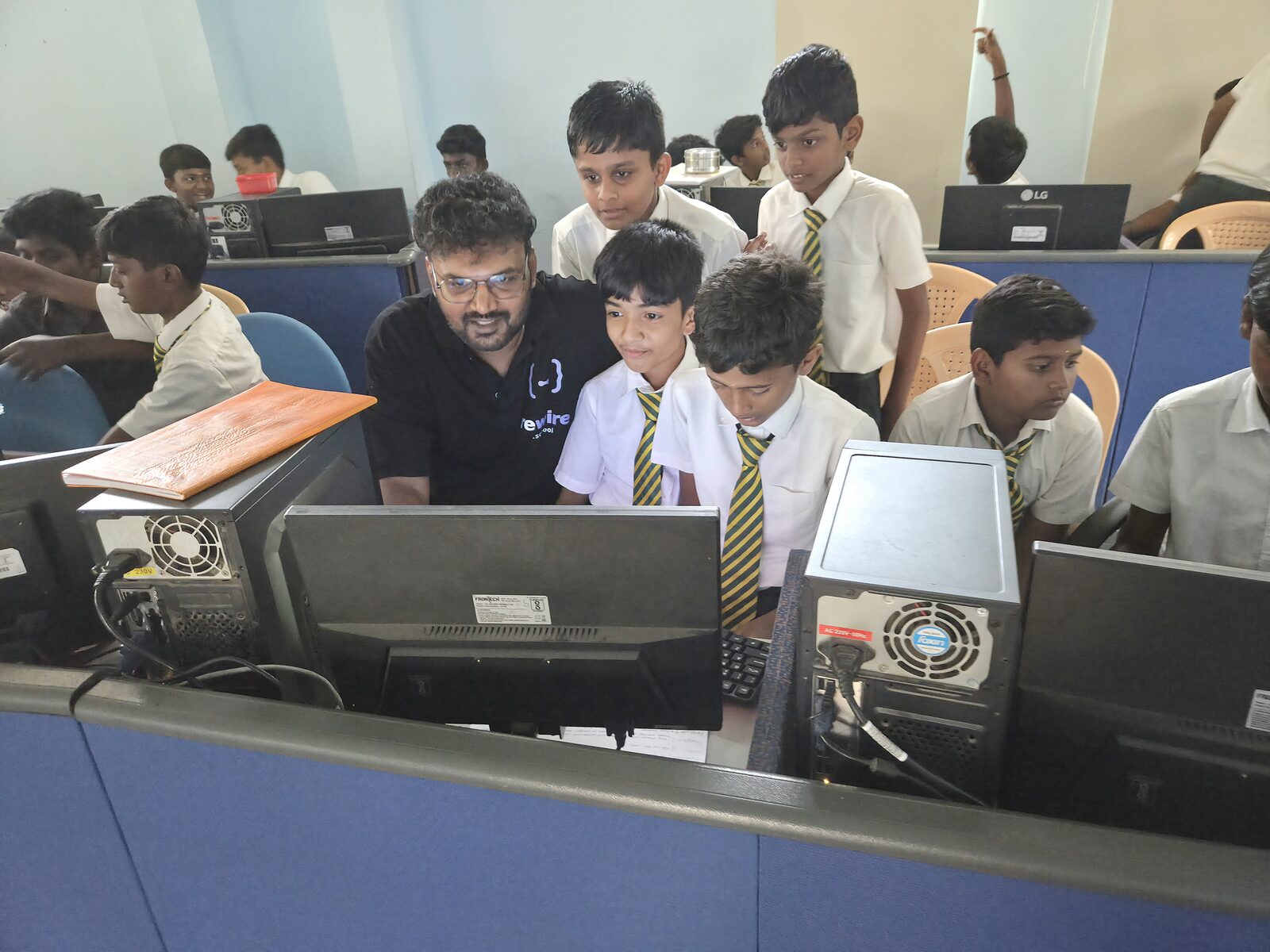
A Rewire instructor building an AI app alongside students in a school computer lab
5+
Real projects
30
Max batch
Demo Dayparents invited

21 days to a real buildAges 10 to 16Live, with an instructorA portfolio they keep21 days to a real buildAges 10 to 16Live, with an instructorA portfolio they keep

From passive user to confident builder.

AI will be part of how your child studies, creates, and works. The question isn't whether they'll use it — it's whether they'll know how to use it well.

Passive consumer

  • Scrolls for hours, watches others create
  • Uses ChatGPT to copy homework
  • Consumes screens, doesn't build
  • Asks "can I have more screen time?"
21 days

Active creator

  • Builds websites and apps with AI
  • Creates art and videos from ideas
  • Explains exactly how they made it
  • Says "look what I built today!"

On Demo Day, you watch them present everything live.

Real AI tools, used the right way.

Age-appropriate, supervised, and always with a live instructor. Your child learns which AI is best for what — and how to think, not just copy.

ChatGPT

ChatGPT

Claude

Claude

Gemini

Gemini

Lovable

Lovable

Bolt

Bolt.new

Runway

Runway

NotebookLM

NotebookLM

Suno

Suno

Leonardo

Leonardo

and 10+ more

Real projects and skills — not just a certificate.

Things your child can show you, use in their school work, and be proud of.

  • → AI multimedia presentation (text + image + video + music)
  • → AI podcast from a school chapter
  • → AI movie poster
  • → A working game built with vibe coding
  • → A live website on a real URL
  • → A web app with login, database & AI
  • → A developer portfolio
  • → A 2-minute demo video
  • → The SPARK prompting framework
  • → The THINK AI-safety framework
  • → 10+ AI tools across text, image, video & audio
  • → AI-powered study techniques
  • → Vibe coding — building apps from plain English
  • → Database & authentication concepts
  • → Presentation & communication skills
  • → Critical thinking with AI

Our framework: curious to confident in three weeks.

Five stages that take a child from their first prompt to presenting a finished product on Demo Day.

01

Basics

Master ChatGPT, Claude and Gemini.

02

Understand

Learn what AI can and can't do.

03

Imagine

Create AI art and videos.

04

Launch

Ship a website, app and AI vision.

05

Demo

Present like a pro to parents.

Skills most adults don't have yet.

Concrete abilities they'll use in school, in projects, and for years to come.

01

Use ChatGPT, Claude & Gemini

Know which AI is best for what, and switch between them with confidence.

AI TOOLS
02

Write prompts that work

Get exactly the output they want, instead of settling for the first answer.

PROMPTING
03

Generate AI art

Turn a text description into finished images with tools like Leonardo.

CREATIVITY
04

Build a live website

Design and publish a real website on a real URL — without writing code.

BUILDING
05

Ship a working app

Use AI tools like Bolt to turn an idea into a functioning web app.

APPS
06

Study smarter with AI

Use AI for research, homework, and problem-solving the honest way.

STUDY
07

Fact-check AI

Spot AI mistakes, verify outputs, and know when not to trust a model.

SAFETY
08

Present with confidence

Explain what they built and how — in front of an audience.

PRESENTING

What kids actually build here.

Real websites, working web apps, a comic and AI posters shipped by students in our sessions — not stock mockups. Click any to see it full-size.

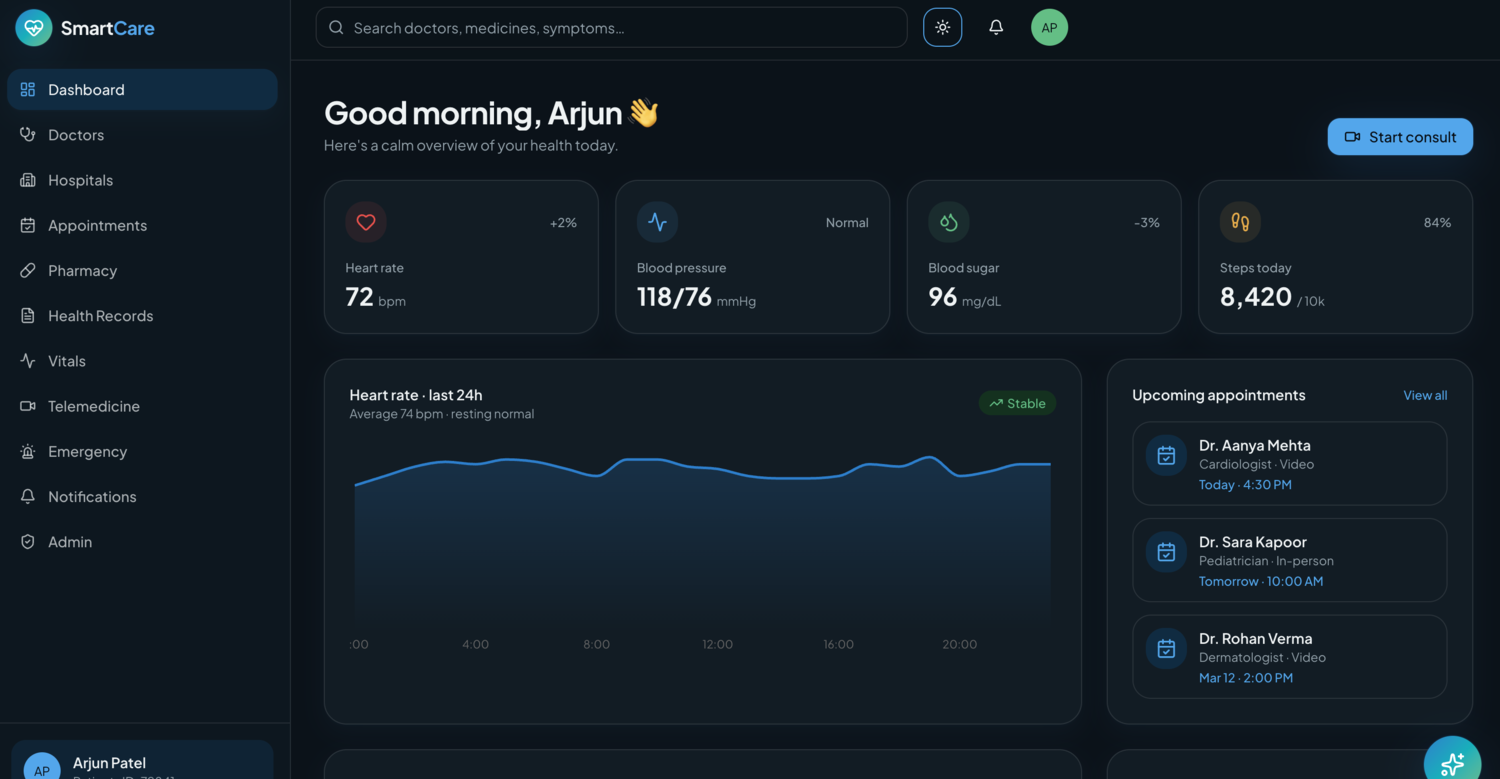
smartcare.app
SmartCare, a health dashboard web app built by a student
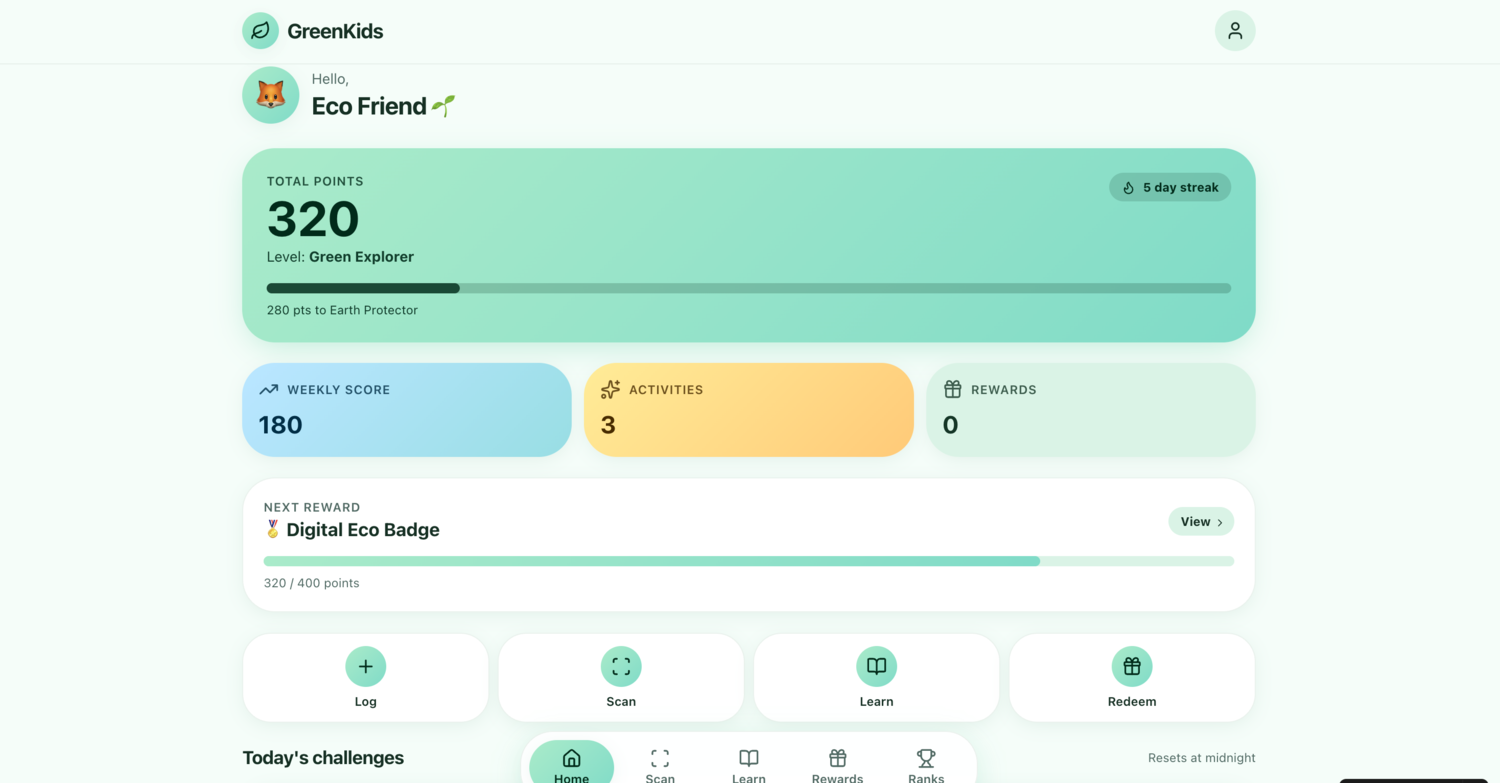
greenkids.app
GreenKids, an eco-rewards web app built by a student
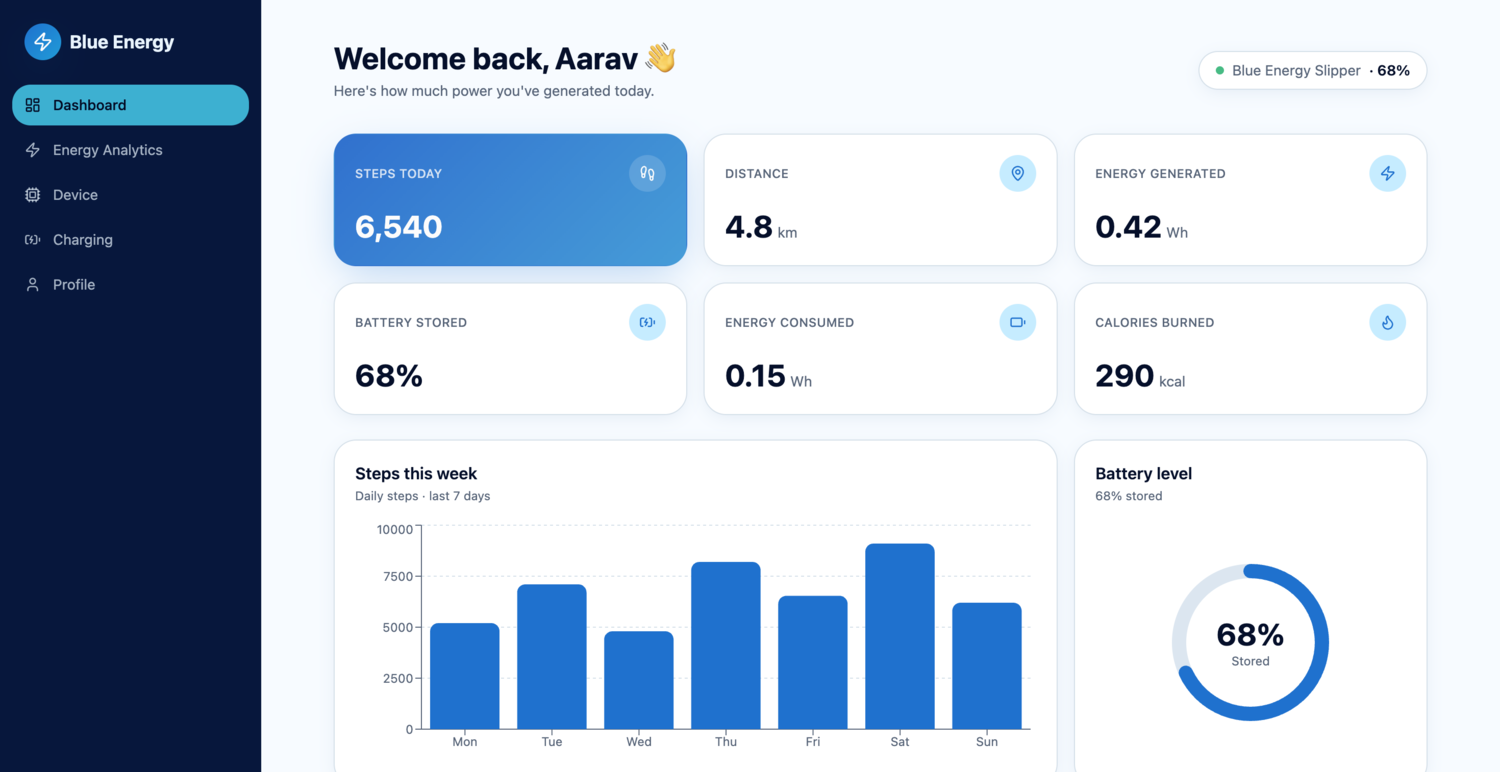
blueenergy.app
Blue Energy, an energy-tracking dashboard app built by a student
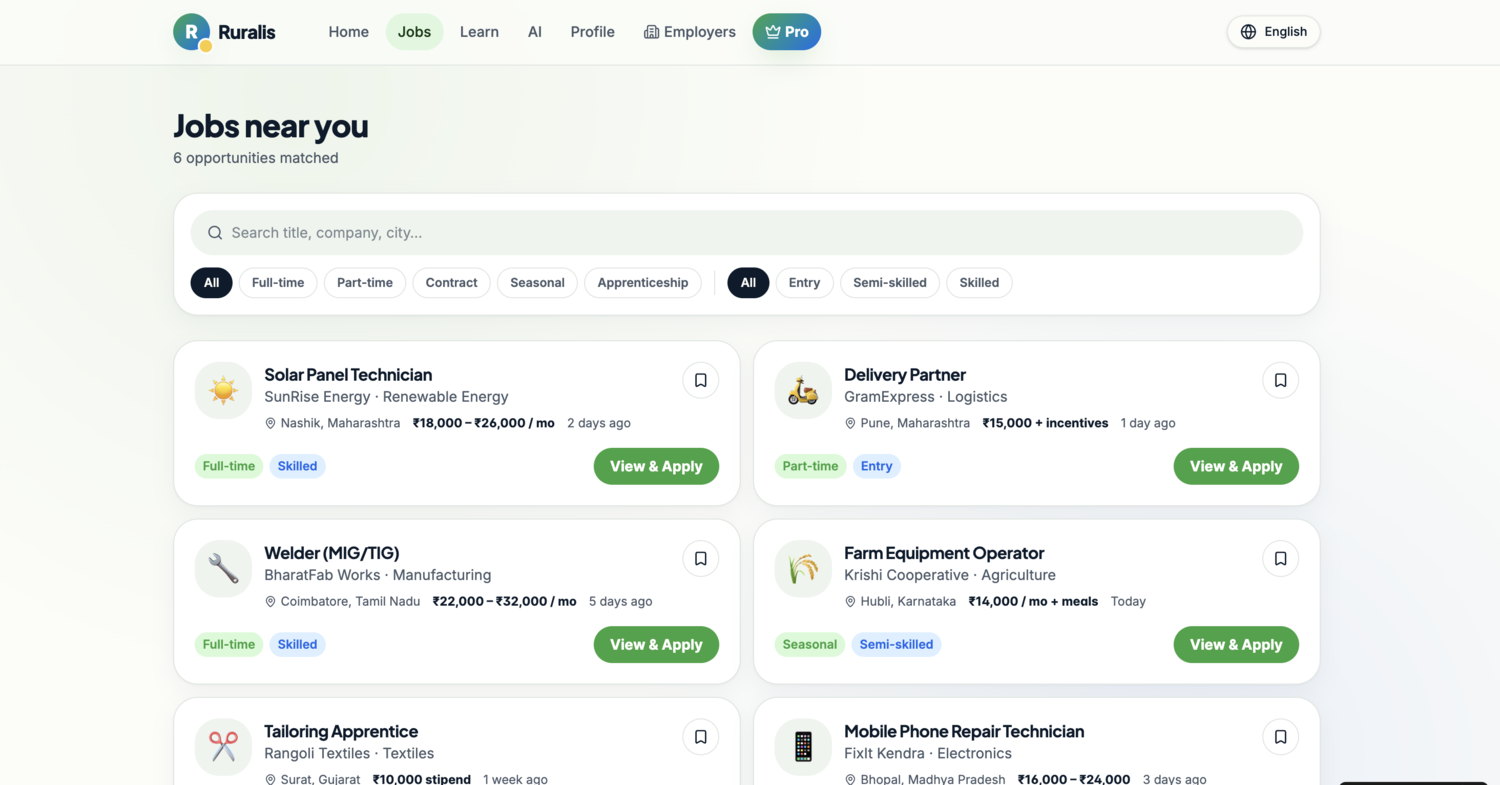
ruralis.app
Ruralis, a rural jobs board web app built by a student
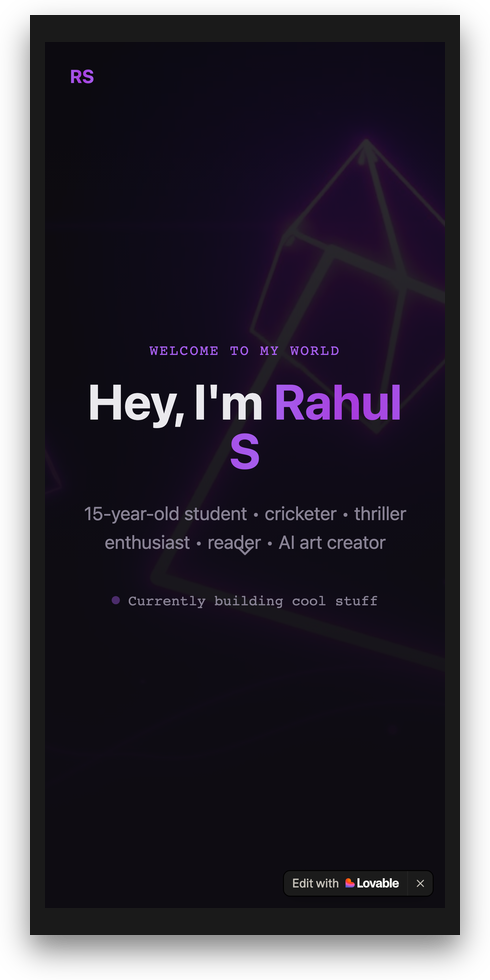
rahul.rewire.school
A live website built and published by a student named Rahul
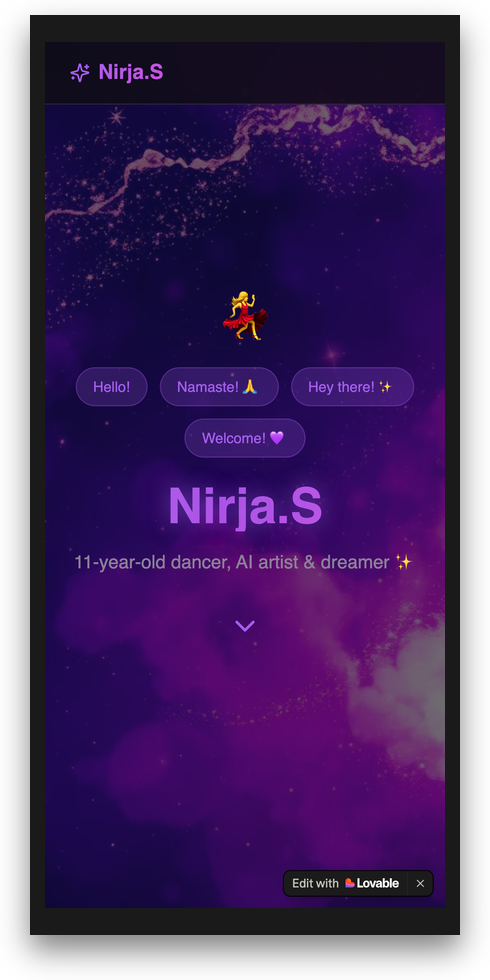
nirja.rewire.school
A website designed and shipped by a student named Nirja
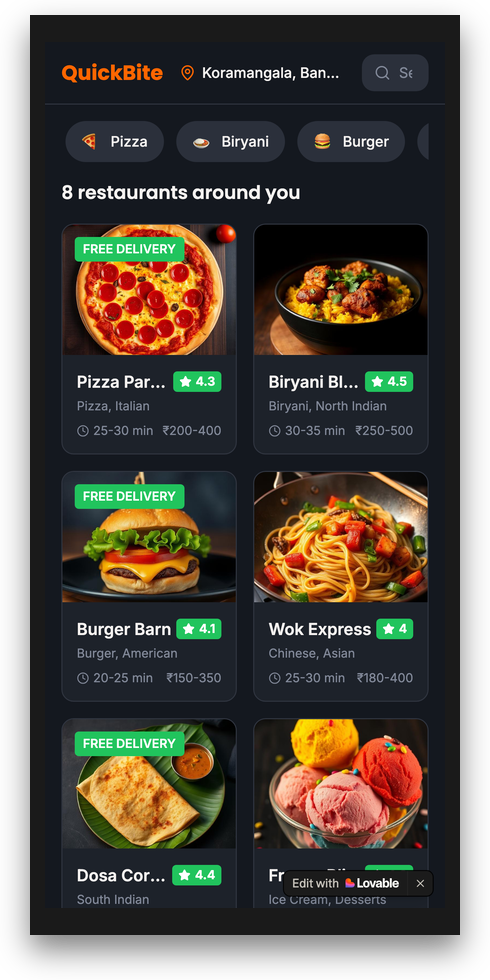
quickbite.app
QuickBite, a food-ordering web app built by a student in Bolt
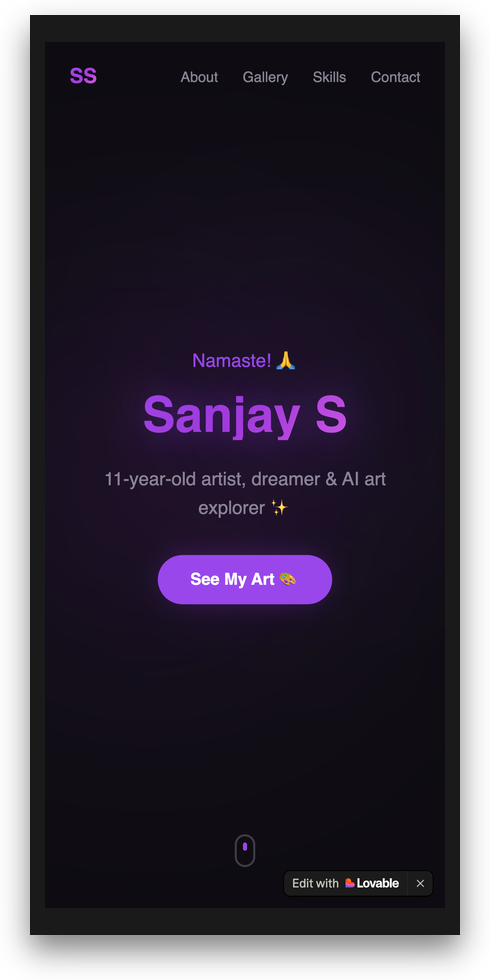
sanjay.rewire.school
The first live website built by a student named Sanjay
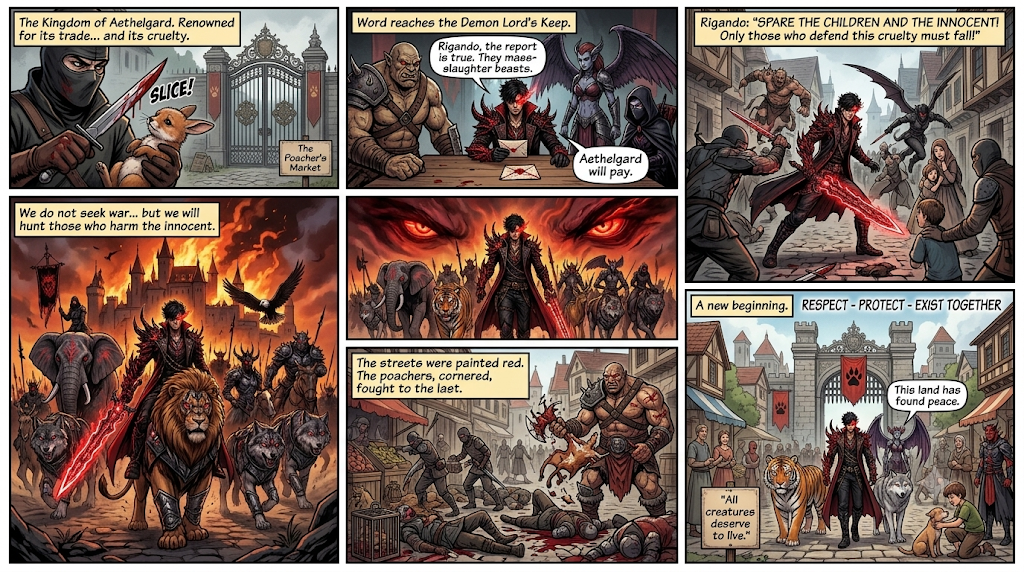
An original comic story written and illustrated by a student using AI
An original comic — written and illustrated with AI
An original dragon-warrior character poster designed by a student with AI
Web Warrior, an original character poster designed by a student with AI
Aquanova, an original eco-superhero poster designed by a student with AI

Watch the apps actually run.

Screenshots are easy. These are the working apps — recorded end to end, built in class by students in grades six to eight.

Blue Energy, an energy-tracking web appBuilt by a Grade 8 student
A working school LMS, built from scratchBuilt by a Grade 7 student
Idea to app: an interactive learning prototypeBuilt by a 12-year-old
Idea to prototype, in one sittingBuilt by a Grade 6 student

A real tech professional, teaching live.

LIVE, NOT RECORDED Shaik Abdul Quddus, instructor

Shaik Abdul Quddus

Tech Professional · 10+ years in industry

Ten-plus years building technology at IBM, Cognizant, Accenture and Tech Mahindra. A certified professional who brings real-world tech experience to help kids learn AI the right way, with live guidance, safe tools, and hands-on projects.

IBM Cognizant Accenture Tech Mahindra 4× Certified
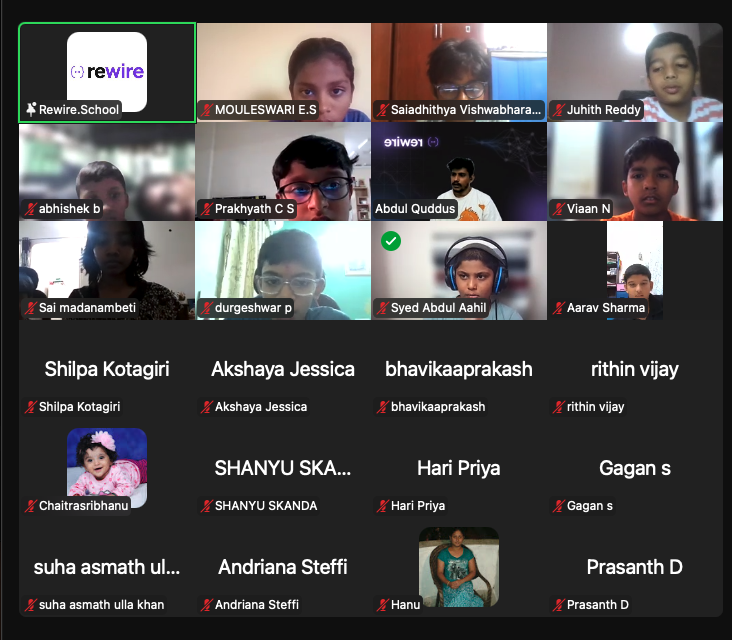
LIVE ONLINE COHORT A live Rewire online cohort in session, with students joining from home on camera
A real Rewire online class — small groups, cameras on, an instructor guiding live.

Your child learns to use AI responsibly.

Effective and safe — because knowing when not to trust AI matters as much as knowing how to use it.

Ask better questions

We teach how to think with AI, not just copy prompts — so they get exactly what they want.

Spot AI mistakes

AI makes errors. Your child learns to fact-check, verify, and know when not to trust it.

Safe & supervised

Age-appropriate tools only, a live instructor in every session, and AI ethics built into the curriculum.

Not another coding class or video course.

Live, small, and project-based — with parents kept in the loop the whole way.

Other courses
Build with AI for Kids
Instruction
Recorded videos
21 hours, all live
Batch size
100+ per batch
Max 30 — real attention
What they leave with
A certificate
5+ real projects + Demo Day
Parents
Not involved
Weekly updates + Demo Day
Refund policy
None
100% after first session

One hour a day, from curious to confident.

Three weeks of building, each ending in something your child can show you — capped by Demo Day.

01 WEEK 1 · DAYS 1–5 AI Explorer
5 live hours Weekend project: an AI multimedia presentation

Your child masters the major AI tools and creates their first multimedia work — combining text, image, video and music.

Compare 3 AIs on one question SPARK framework — talk to AI like a pro AI visuals & movie posters AI video + music generation THINK framework — AI ethics
02 WEEK 2 · DAYS 8–12 AI Learner + Builder
5 live hours Weekend showcase: a live website + working game

Study hacks that actually help, then their first real build — a website that goes live on the internet for you to visit.

AI study hacks — podcast, mind map, quiz AI study kit — flashcards & summaries Vibe coding — build a game from English Personal project page Full website — go live
03 WEEK 3 · DAYS 15–19 AI Builder
5 live hours You leave with: a web app with AI + a portfolio

The big one — a web app with login, a database and its own AI, plus a developer portfolio and a recorded demo video.

Website to web app — login & database Make it smart — add an AI chatbot Test, fix, ship — debug like a dev Portfolio setup + demo video Demo Day prep & practice
21 DAY 21 Demo Day + Graduation
Live Parents invited to watch it all, live

Your child presents their website, web app and portfolio to you — then graduates, with awards for the standout work.

Present website, app & portfolio Awards: Best Project, Most Creative, Best Presenter Graduation ceremony Share the 2-minute demo video
SPARK

How to get the best from any AI

Specific · Purpose · Audience · Refine · Knowledge-check. The foundation for every prompt your child writes.

THINK

How to use AI safely

Test · Human-check · Investigate · Navigate · Know-limits. Catch mistakes, verify facts, and think critically.

Updates at every milestone.

Day 1: welcome and roadmap on WhatsApp · Day 5: Week 1 showcase · Day 12: your child's live website URL · Day 19: web app + portfolio preview · Day 21: Demo Day, live.

Launch-batch pricing.

The April 2026 batch is limited to 30 students, so every child gets real attention. Lock in the launch price while seats last.

Apr 14 Batch Starts
Max 30 Students
Online Live via Zoom
Launch Batch · Save ₹35,000
₹14,999
One-time · 21 days · 1 hour a day live ₹49,999
21 live hours (1 hour a day)
Max 30 students per batch
Parent kickoff call
Weekly progress updates
All 21 session replays
Certificate on completion

Session recordings · SPARK & THINK framework cards · private WhatsApp group · Android app build + APK · Play Store submission support · shareable certificate. Total bonus value ₹14,494.

100% refund if it's not a fit after your child's first session. Registration closes April 5, 2026.

From the parents who went first.

Real feedback from families in our pilot batch.

"My son used to just watch YouTube all day. Now he's the one showing me how to use AI to edit photos. On Demo Day he walked us through his portfolio website — I had tears in my eyes."

P
Priya M.
Parent of a 14-year-old · Coimbatore

"I was skeptical — another online course, right? But when my daughter built a working app in week 3 and explained exactly how the AI helped her, I knew this was different. Worth every rupee."

R
Rajesh K.
Parent of a 13-year-old · Chennai

"The instructor actually cared whether my son understood. Small batch, real projects, no filler. He's already using what he learned for his school projects. That's rare."

A
Anitha S.
Parent of a 15-year-old · Bangalore

The things parents actually ask.

Does my child need coding experience?
No. This is a no-code course. AI handles the technical side — your child focuses on creativity and ideas.
What device is required?
A laptop or desktop with internet. Tablets are not recommended for the app-building sessions.
Are the AI tools safe?
Yes. We use age-appropriate tools only, with instructor supervision. AI ethics is part of the curriculum.
What if my child misses a session?
We provide catch-up support. Contact us and we'll arrange a makeup or recording access.
Why is the fee ₹14,999?
This is a live, guided cohort — not a video course. Your child gets 21 live sessions, project feedback, small-batch attention (max 30), parent updates, session recordings, Demo Day, and a full refund option after the first session if it doesn't feel right.

The team that trained 500+ professionals.

rewire.school trains Product Managers, Engineers and Founders in AI. We adapted that same live, project-based approach for ages 10–16 — with added supervision, age-appropriate tools, and parents kept in the loop.

21 days from now, they'll build with AI — not just watch it.

21 live hours · 5+ real projects · Demo Day for parents · 100% refund guarantee. Thirty seats, one batch.

21 days · 1 hour a day · live online · ₹14,999 · max 30 students · starts April 14, 2026